
Icom released a firmware update for the IC-7300 HF/50MHz radio.
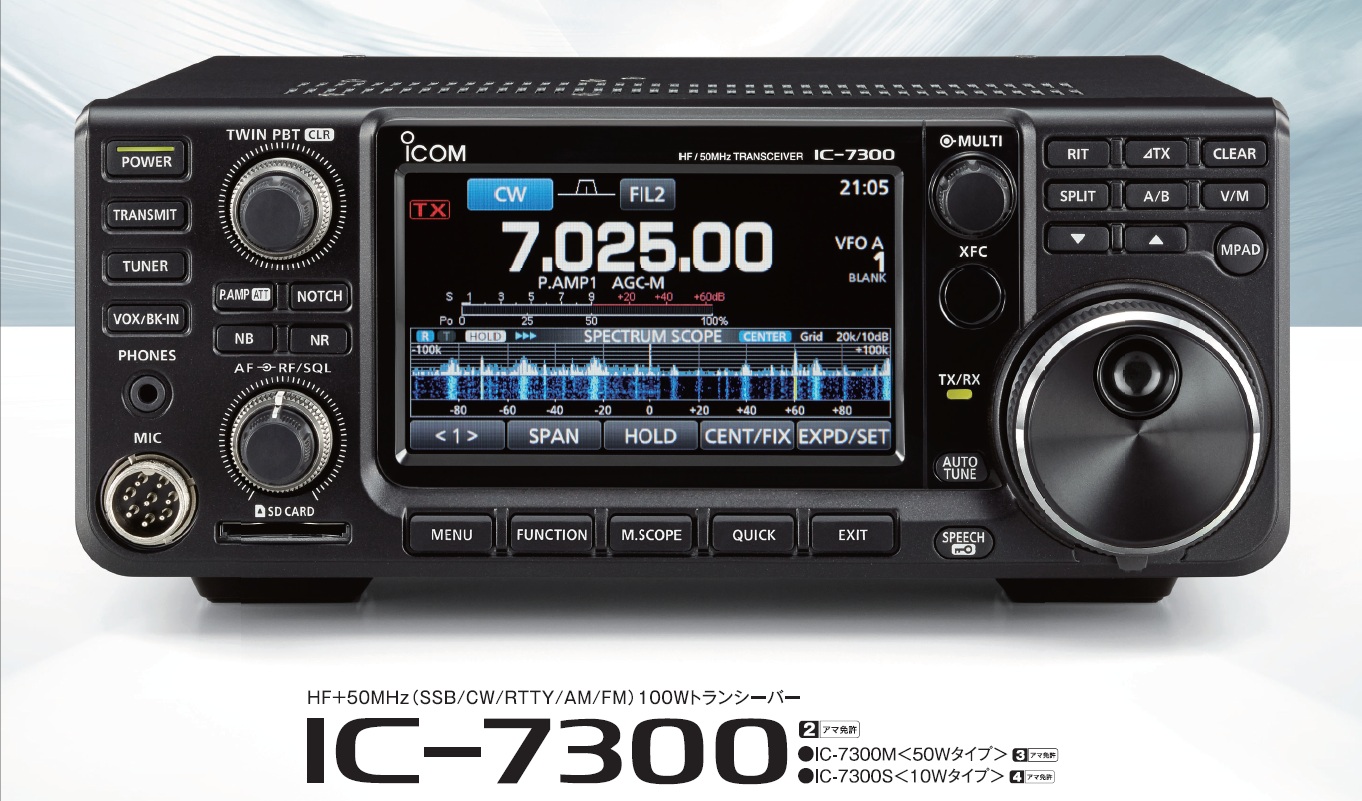
Here are the changes applied with this firmware (from ICOM’s website):
Improvements
- A particular spurious signal in the Fixed mode Spectrum scope screen is eliminated.
- Flickering of the Spectrum scope screen is reduced.
- Accuracy of the spectrum scope in the CW mode is improved.
- Frequency response near the edges of the spectrum scope is improved.
Problems solved
- “CI-V USB→REMOTE Transceive Address” setting problem was fixed.
- Unnecessary OVF indication at the end of the transmission was fixed.
- Other minor problems were fixed.
Follow these instructions to update the firmware:
- An SD card or an SDHC card is required.
- Format the card in the IC-7300 before using it for the update. (First, save any data that is on the card, if necessary.)
- Unzip and save the downloaded firmware file in “IC-7300” folder that is on the card.
- Save the transceiver’s data onto a separate card before doing the update. It is possible that your data could get lost or corrupted during the update. Thoroughly read Section 8 (USING AN SD CARD) of the “FULL MANUAL” for details.
- Thoroughly read Section 15 (UPDATING THE FIRMWARE) of the “FULL MANUAL” before starting the update.
- Never turn OFF the transceiver power during the update.
- The firmware will be updated to the following versions.
Main CPU: 1.14
DSP Program: 1.07
DSP Data: 1.00
FPGA: 1.13
The firmware can be downloaded here.
![First unboxing of the Yaesu FT-891 HF/50 radio [Video]](https://www.hamradioreviews.eu/wp-content/plugins/wordpress-23-related-posts-plugin/static/thumbs/27.jpg)
![Unboxing the Icom IC-2730E Mobile Radio [Video]](https://www.hamradioreviews.eu/wp-content/uploads/2016/10/screenshot-2016-10-06-16-54-28-150x150.jpg)
![Working with Yaesu FT-891 and an ATAS 120A Antenna [Video]](https://www.hamradioreviews.eu/wp-content/uploads/2016/10/yaesu_ft-891-150x150.jpg)
![ICOM IC-7610 Presentation [Info+Images]](https://www.hamradioreviews.eu/wp-content/uploads/2016/12/08-2-150x150.jpg)